Article Carousel Section
Overview
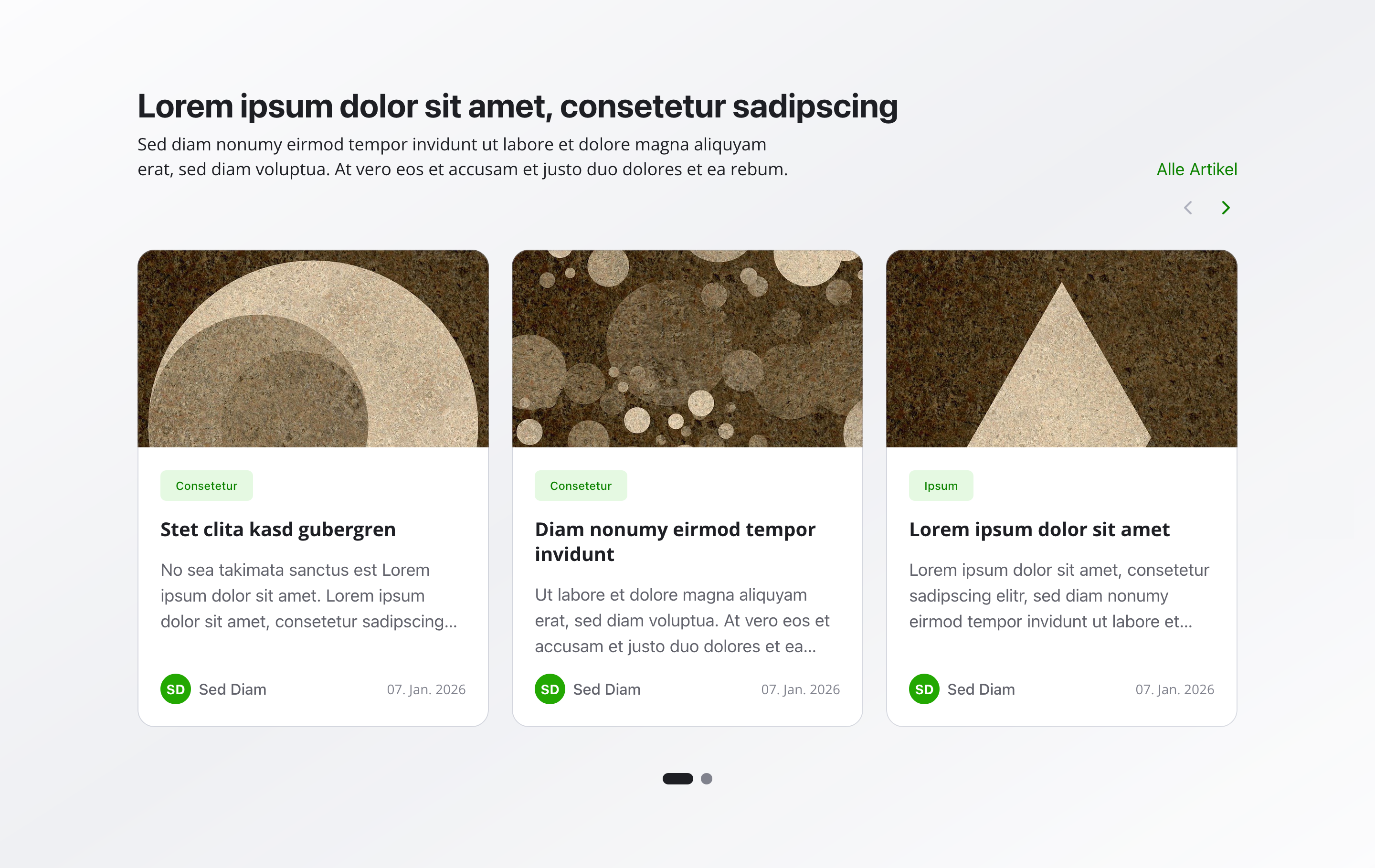
Section titled “Overview”The Article Carousel Section automatically displays your most recent articles in an interactive carousel format.
It pulls the latest content based on publication date, making it perfect for keeping your homepage or news pages fresh and up-to-date without manual updates.
Fields
Section titled “Fields”Active
Section titled “Active”- Type: Boolean
- Required: No
- Purpose: Determines whether the article carousel section is displayed on the website
- Default Value:
true - Note: Turn this off when you want the section hidden temporarily without removing its configuration
Headline
Section titled “Headline”- Type: String
- Required: No
- Purpose: Main heading for the carousel section
- Max Length: 100 characters
- Example:
Latest ArticlesorRecent News
Description
Section titled “Description”- Type: Text
- Required: No
- Purpose: Brief description or context displayed below the headline
- Max Length: 200 characters
- Example:
Stay up to date with our latest news and insights
Maximum Articles
Section titled “Maximum Articles”- Type: Number
- Required: No
- Purpose: Controls how many of the most recent articles appear in the carousel
- Default Value: 6
- Min Value: 3
- Max Value: 12
- Example:
Set to6to show the 6 newest articles
Background Color
Section titled “Background Color”- Type: Reference (
backgroundColor) - Required: No
- Purpose: Sets the background color for the entire section
Usage Example
Section titled “Usage Example”Typical Configuration
Section titled “Typical Configuration”- Headline:
Latest Articles - Description:
Stay informed with our most recent news and updates - Maximum Articles:
6
The carousel will automatically display the 6 most recently published articles, sorted by publication date (newest first). Users can navigate through the carousel to browse all displayed articles.
Best Practices
Section titled “Best Practices”- Article count: 3-6 articles work best for optimal display and user engagement. Too few may look sparse; too many can overwhelm users
- Fresh content: Publish new articles regularly to keep the carousel dynamic and engaging
- Relevance: The carousel automatically shows the most recent articles, so ensure your latest content is relevant to your audience
- Headlines: Make article headlines clear and compelling—they’re what users see first in the carousel
- Description: Use the description field to provide context about what types of articles users will find
- Background color: Use sparingly—ensure sufficient contrast for readability
Key Features
Section titled “Key Features”- Automatic updates: No manual selection needed—the carousel automatically pulls the latest articles
- Sorted by date: Articles are always displayed with the newest first
- Interactive navigation: Users can browse through articles using carousel controls
- Responsive design: The carousel adapts to different screen sizes
- Dynamic content: Content updates automatically as new articles are published
Where It’s Used
Section titled “Where It’s Used”- Pages (
page)
General content pages, especially homepages - News Pages
Dedicated news or blog listing pages
Technical Notes
Section titled “Technical Notes”- Articles are automatically sorted by publication date in descending order (newest first)
- The carousel displays articles up to the specified maximum count
- Only published articles are included in the carousel
- Background color references the global
backgroundColorschema - The carousel uses responsive breakpoints for optimal display on all devices