Download Section
Overview
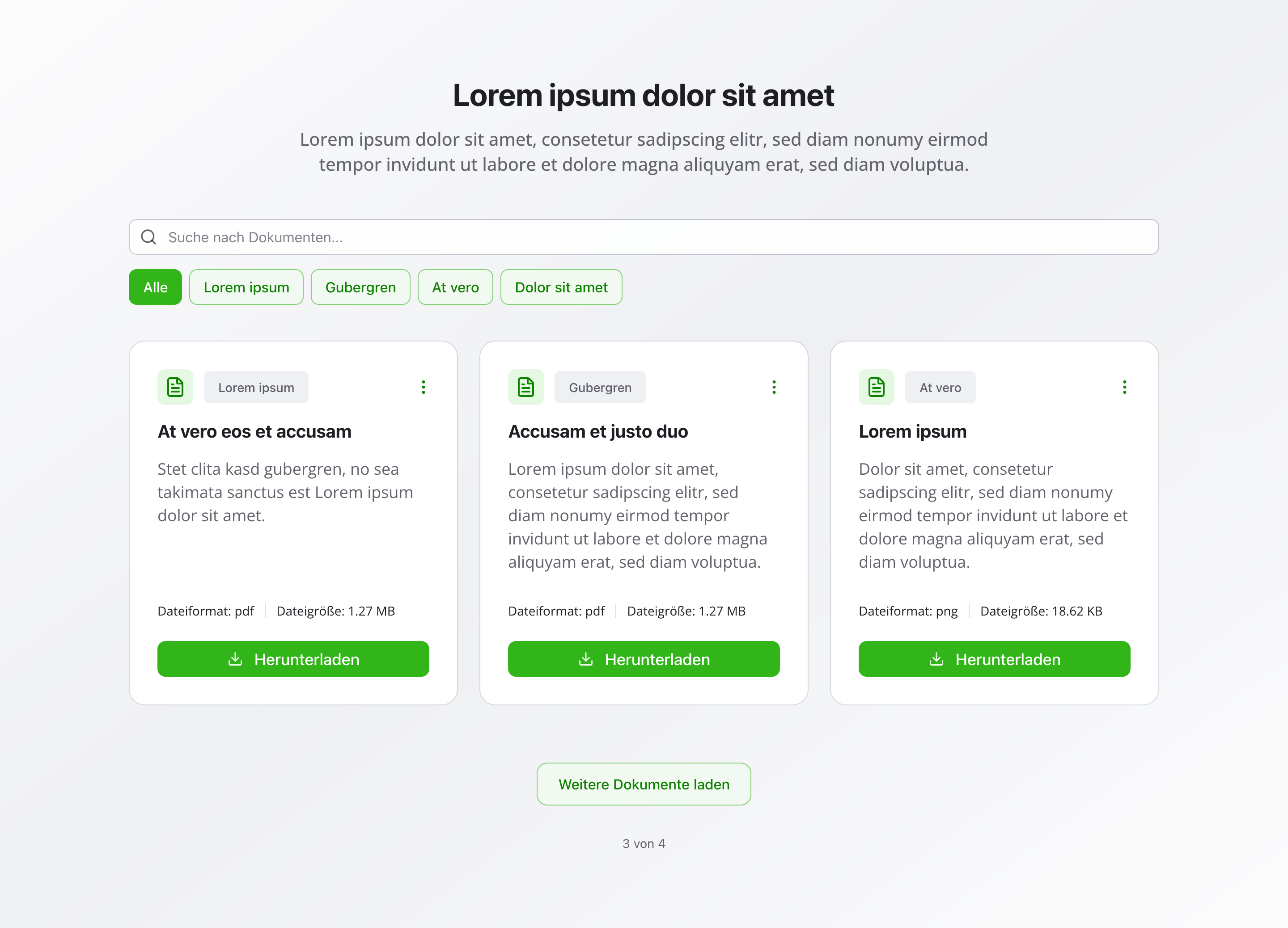
Section titled “Overview”The Download Section automatically fetches and displays documents in an organized, searchable interface.
With category filters and search functionality, visitors can quickly find the documents they need — from forms and materials to legal documents.
Fields
Section titled “Fields”Active
Section titled “Active”- Type: Boolean
- Required: No
- Default Value:
true - Purpose: Controls whether the download section is displayed on the website
- Note: Turn this off when you want the section hidden temporarily without removing its configuration
Headline
Section titled “Headline”- Type: String
- Required: Yes
- Purpose: Main heading for the download section
- Default Value:
Downloads - Max Length: 100 characters
- Example:
DownloadsorDocument Library
Description
Section titled “Description”- Type: Text
- Required: No
- Purpose: Description for the download section
- Default Value:
Download our latest documents, forms and materials. - Max Length: 500 characters
Auto-fetch Documents
Section titled “Auto-fetch Documents”- Type: Boolean
- Required: Yes
- Purpose: Automatically fetch all active documents to display in the download area
- Default Value:
true
Show Categories
Section titled “Show Categories”- Type: Boolean
- Required: No
- Purpose: Shows the category filters
- Default Value:
true
Documents Per Page
Section titled “Documents Per Page”- Type: Number
- Required: No
- Purpose: Number of documents displayed at once
- Default Value: 12
- Min Value: 6
- Max Value: 50
Enable Search
Section titled “Enable Search”- Type: Boolean
- Required: No
- Purpose: Allows searching through documents
- Default Value:
true
Background Color
Section titled “Background Color”- Type: Reference (
backgroundColor) - Required: No
- Purpose: Sets the background color for the entire section
Usage Example
Section titled “Usage Example”Typical Configuration
Section titled “Typical Configuration”- Headline:
Downloads - Description:
Here you'll find all important documents and forms - Auto-fetch Documents:
true - Show Categories:
true - Documents Per Page:
12 - Enable Search:
true - Background Color: Reference to a
backgroundColorobject
Best Practices
Section titled “Best Practices”- Categories: Use meaningful categories for better organization and user experience
- Documents per page: 12-24 documents per page is optimal for performance and usability
- Search: Enable search for large document collections to help users find what they need
- Regular updates: Keep documents current and remove outdated files
Key Features
Section titled “Key Features”- Automatic fetching: All active documents are automatically retrieved and displayed
- Category filtering: Filter documents by category for easy navigation
- Search functionality: Search through documents
- Pagination: Documents are displayed in pages for better performance
Where It’s Used
Section titled “Where It’s Used”- Pages (
page)
General content pages, especially resource or document pages
Technical Notes
Section titled “Technical Notes”- Documents are automatically fetched from the
downloadDocumentschema - Only active documents are displayed
- Search functionality allows searching through documents
- Background color references the global
backgroundColorschema - Pagination is handled automatically based on documents per page setting