Pricing Section
Overview
Section titled “Overview”The Pricing Section displays prices, packages, or offers in organized pricing cards. Each card can include a name, price, description, features list, optional buttons, badges, and highlighting—perfect for comparing different options and driving conversions.
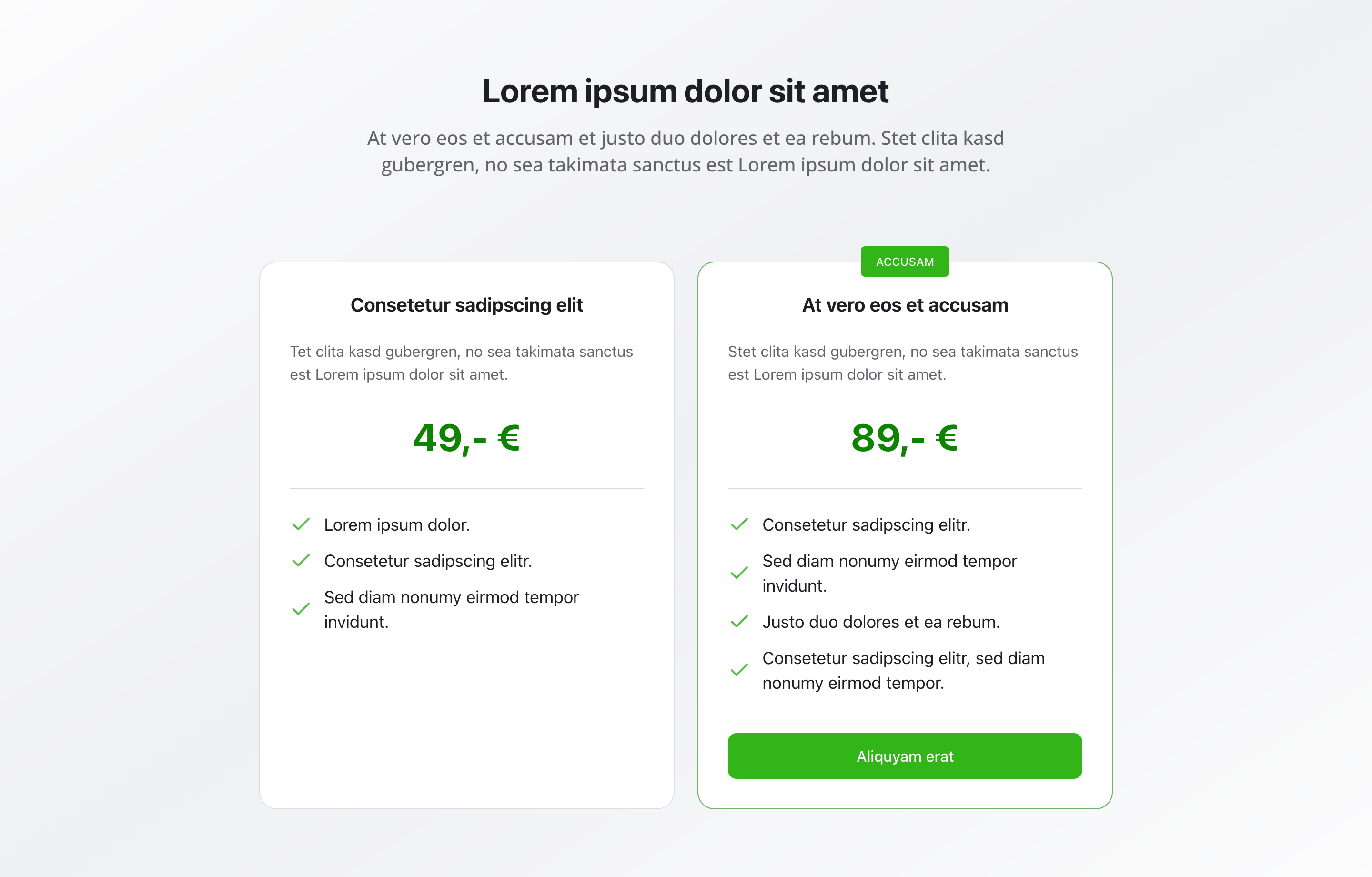
Fields
Section titled “Fields”Headline
Section titled “Headline”- Type: String
- Required: No
- Purpose: Main heading for the pricing section
- Example:
Our PricesorChoose Your Plan
Description
Section titled “Description”- Type: Text
- Required: No
- Purpose: Description for the pricing section
- Example:
Choose the right package for your needs
- Type: Array of pricing item objects
- Required: No
- Purpose: List of pricing packages
Each pricing item includes:
Item Name
Section titled “Item Name”- Type: String
- Required: Yes
- Purpose: Name of the pricing package
- Example:
Basic Package
- Type: String
- Required: No
- Purpose: Price (e.g., “€1,500” or “On request”)
- Example:
€1,500orContact us
Description
Section titled “Description”- Type: Text
- Required: No
- Purpose: Description of the package
Included Features
Section titled “Included Features”- Type: Array of strings
- Required: No
- Purpose: List of features/included items in the package
Show Button
Section titled “Show Button”- Type: Boolean
- Required: No
- Purpose: Toggle to show a button on this pricing card
- Default Value:
false
Button
Section titled “Button”- Type: Object
- Required: No
- Purpose: Button configuration for this pricing card
- Note: Only visible when “Show Button” is enabled
- Fields:
- Label (String, required) – Text displayed on the button
- Link (String, required) – Relative path (e.g.,
/contact,/registration)- Validation: Must start with
/
- Validation: Must start with
- Role (String, required) – Role of the button (Primary/Secondary)
- Default:
primary
- Default:
Highlighted
Section titled “Highlighted”- Type: Boolean
- Required: No
- Purpose: Marks this package as highlighted (e.g., “Recommended”)
- Default Value:
false
Show Badge
Section titled “Show Badge”- Type: Boolean
- Required: No
- Purpose: Toggle to show a badge on this pricing card
- Default Value:
false
- Type: Object
- Required: No
- Purpose: Badge configuration for this pricing card
- Note: Only visible when “Show Badge” is enabled
- Fields:
- Text (String) – The label shown inside the badge
- Color (String, required) – The color of the badge
- Options:
green,red,yellow,blue - Default:
green
- Options:
Background Color
Section titled “Background Color”- Type: Reference (
backgroundColor) - Required: No
- Purpose: Sets the background color for the entire section
Usage Example
Section titled “Usage Example”Typical Configuration
Section titled “Typical Configuration”- Headline:
Our Prices - Description:
Choose the right package for your needs - Items:
- “Basic Package”
- Price:
€1,200 - Description: Basic package for essential services
- Included Features: 12 consultation sessions, 20 service hours, Support and guidance
- Show Button:
true - Button: Label “Book now” → Link
/registration→ Roleprimary - Highlighted:
false
- Price:
- “Premium Package”
- Price:
€1,800 - Description: Comprehensive training with additional services
- Included Features: All basic features, Additional 10 service hours, Intensive course option, Personal advisor
- Show Button:
true - Button: Label “Book now” → Link
/registration→ Roleprimary - Highlighted:
true - Show Badge:
true - Badge: Text “Bestseller” → Color
green
- Price:
- “Basic Package”
Best Practices
Section titled “Best Practices”- Clarity: Use clear, understandable price information
- Comparability: Use similar structure for all packages for easy comparison
- Highlighting: Highlight one package as “Recommended” to guide users
- Features: Provide clear listing of included features
- Buttons: Use CTA buttons to drive conversions
- Count: 2-4 packages are optimal for decision-making
- Badges: Use badges sparingly and only when they add value
Key Features
Section titled “Key Features”- Organized cards: Prices displayed in clear, scannable cards
- Feature lists: Each package can include a list of features
- Call-to-action: Optional buttons for each package
- Highlighting: One package can be highlighted as recommended
- Badges: Optional badges for special offers or popular packages
- Flexible pricing: Support for fixed prices or “On request” options
Where It’s Used
Section titled “Where It’s Used”- Pages (
page)
General content pages, especially service and product pages
Technical Notes
Section titled “Technical Notes”- Button configuration is defined inline within each pricing item
- Badge configuration is defined inline with text and color options (green, red, yellow, blue)
- Background color references the global
backgroundColorschema - Pricing cards are displayed in a responsive grid layout
- Highlighted packages are visually distinguished from others