Roadmap Section
Overview
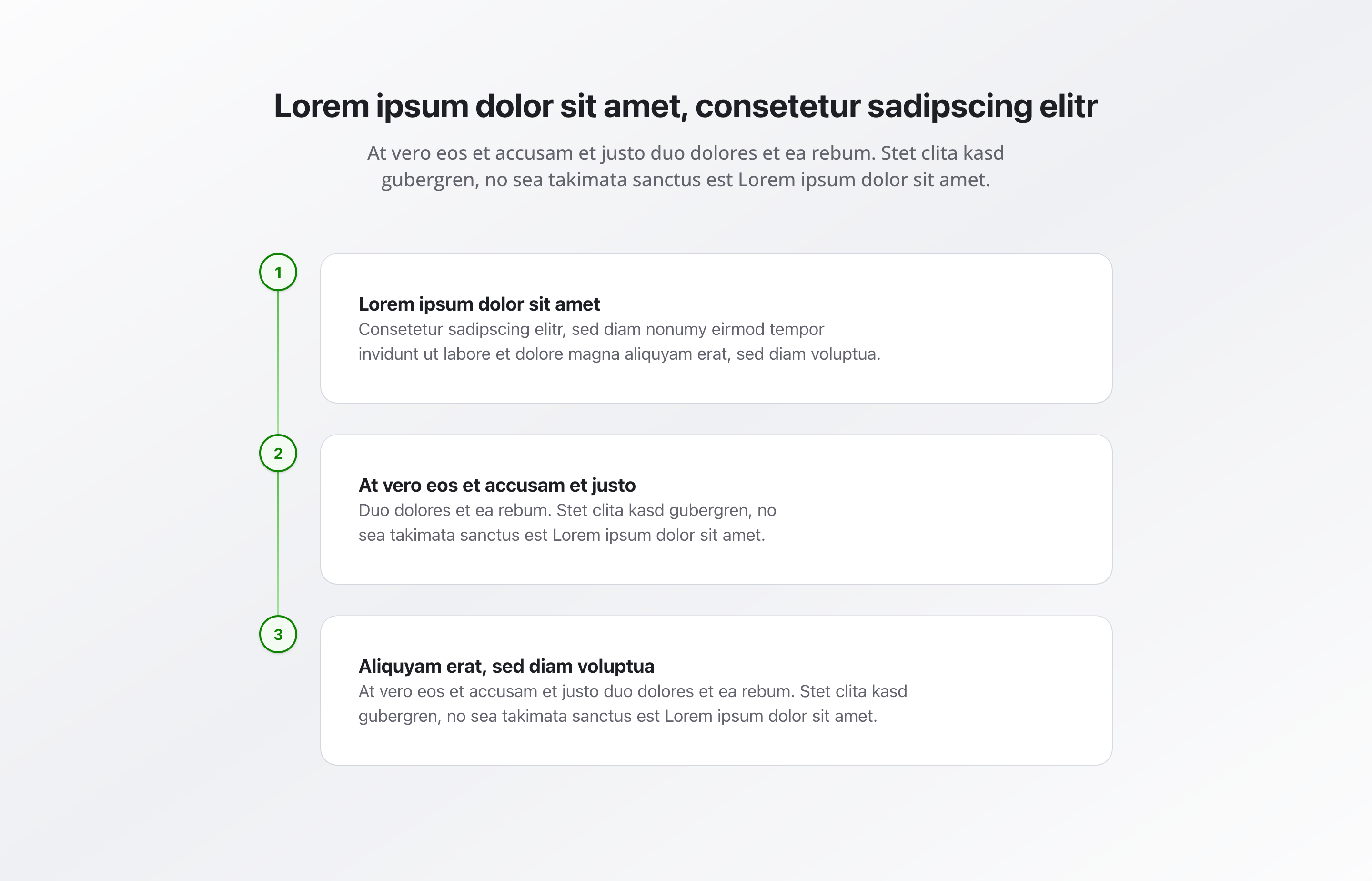
Section titled “Overview”The Roadmap Section displays roadmaps, timelines, or milestones in chronological order. Perfect for showing project plans, development timelines, or important milestones in a clear, visual format.
Fields
Section titled “Fields”Section Headline
Section titled “Section Headline”- Type: String
- Required: Yes
- Purpose: Main heading for the entire roadmap section
- Example:
Our RoadmaporDevelopment Timeline
Section Description
Section titled “Section Description”- Type: Text
- Required: No
- Purpose: Description for the roadmap section
- Example:
Our planned milestones and developments
Timeline Items
Section titled “Timeline Items”- Type: Array of timeline item objects
- Required: No
- Purpose: Timeline items for the roadmap
Each timeline item contains:
- Type: String
- Required: Yes
- Purpose: Title of the milestone or feature
- Example:
Q1 2025: Product LaunchorPhase 1: Foundation
Description
Section titled “Description”- Type: Text
- Required: No
- Purpose: Detailed description of the milestone
- Example:
Launch of our new product line with enhanced features
Background Color
Section titled “Background Color”- Type: Reference (
backgroundColor) - Required: No
- Purpose: Sets the background color for the entire section
Usage Example
Section titled “Usage Example”Typical Configuration
Section titled “Typical Configuration”- Section Headline:
Our Roadmap - Section Description:
Our planned milestones and developments - Timeline Items:
- “Q1 2025: Product Launch”
- Description: Launch of our new product line with enhanced features
- “Q2 2025: Platform Update”
- Description: Introduction of new platform features and improvements
- “Q3 2025: Market Expansion”
- Description: Expansion into new markets and regions
- “Q1 2025: Product Launch”
Best Practices
Section titled “Best Practices”- Chronology: Arrange items in chronological order for clarity
- Clarity: Use clear, concise titles that communicate the milestone
- Descriptions: Provide detailed but concise descriptions
- Item count: 3-10 items are optimal for readability. Too few doesn’t justify a roadmap; too many becomes overwhelming
- Regular updates: Keep the roadmap current with actual progress
- Consistency: Use consistent date formats and terminology
Key Features
Section titled “Key Features”- Chronological display: Items displayed in timeline order
- Clear structure: Title and description for each milestone
- Visual timeline: Timeline visualization for easy understanding
- Flexible content: Support for multiple timeline items (1-20 items)
- Responsive: Adapts to different screen sizes
Where It’s Used
Section titled “Where It’s Used”- Pages (
page)
General content pages, especially project or development pages
Technical Notes
Section titled “Technical Notes”- Timeline items are displayed in the order they appear in the array
- Items are typically displayed in a vertical timeline format
- Background color references the global
backgroundColorschema - The section uses semantic HTML for accessibility
- Timeline visualization is handled by the frontend application
- Minimum 1 item and maximum 20 items are allowed per roadmap