Upload and Manage Images
Learn how to upload, replace, and manage images in Sanity Studio, including adding alt text for accessibility and SEO.
-
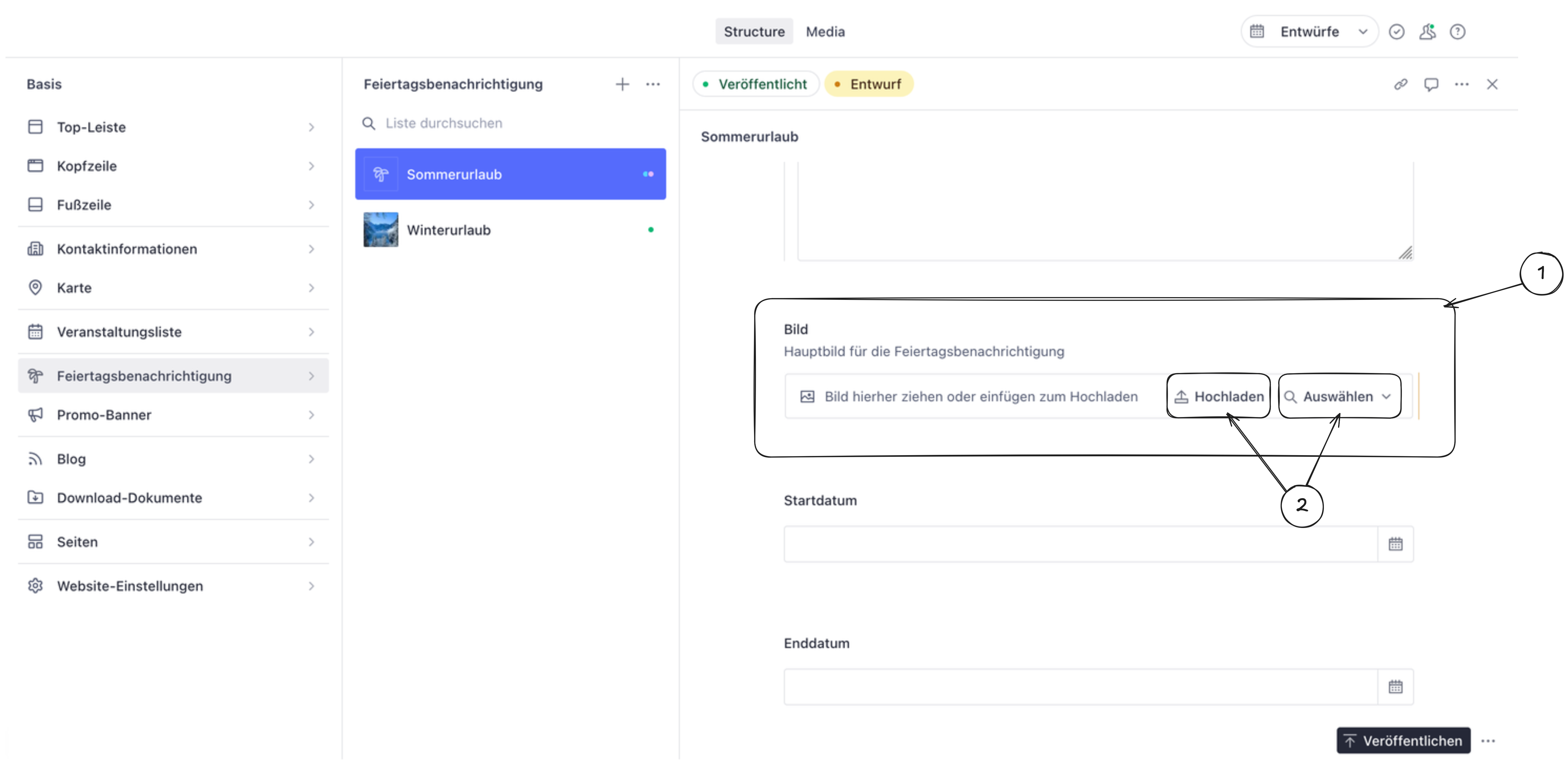
Click on the image field you want to edit (usually shows a placeholder or existing image).
-
Upload or select an image:
- Click Upload to add a new image from your computer
- Or click Select to choose an existing image from the media library
-
Add alt text (recommended). If an alt text field is available, add a brief description of the image. This helps people using screen readers and improves search engine visibility (SEO).
-
Publish your changes to make the new image visible on the website.