Accordion Section
This content is for v1.0. Switch to the latest version for up-to-date documentation.
Overview
Section titled “Overview”The Accordion Section lets you organize content into collapsible panels. Users see only the headlines initially and can expand items they’re interested in — keeping your pages clean and scannable.
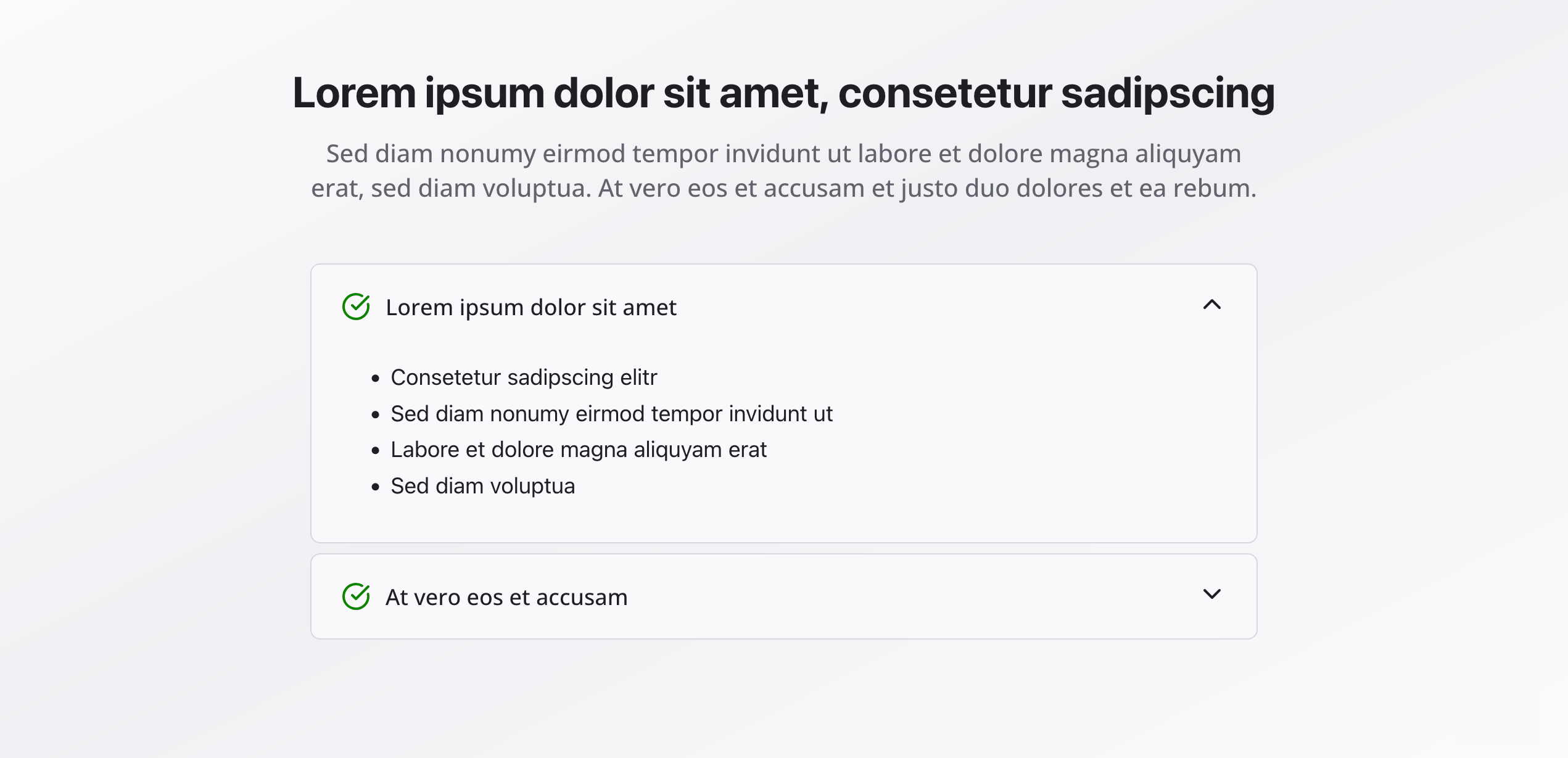
Fields
Section titled “Fields”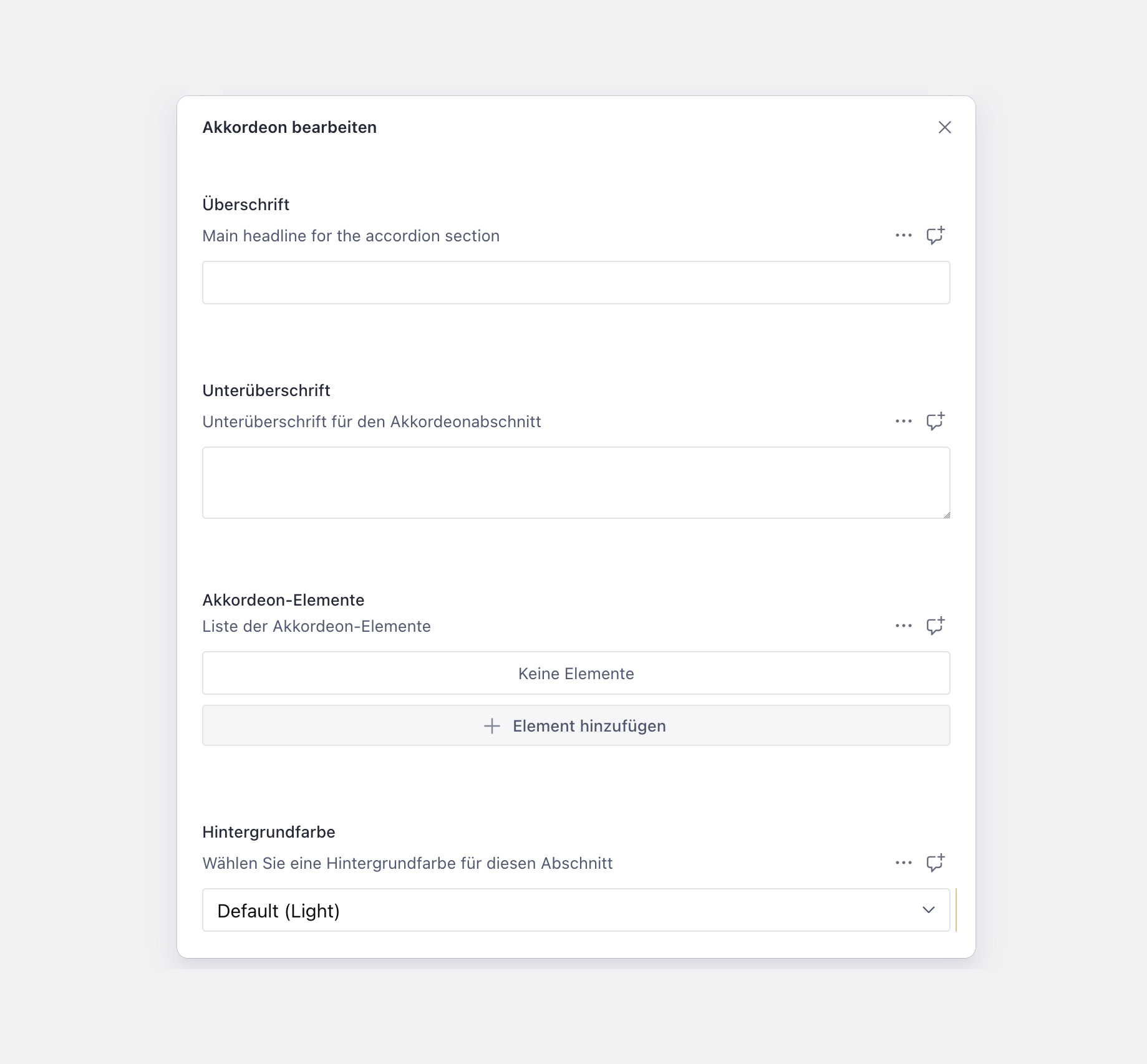
Active
Section titled “Active”- Field name:
isActive - Type: Boolean
- Default:
true - Required: No
- Purpose: Controls whether this accordion section is displayed on the website.
- Note: When
isActiveis turned off, the entire accordion block will not be rendered on the page—content stays in the CMS but is hidden from visitors.
Section Headline
Section titled “Section Headline”- Type: String
- Required: No
- Purpose: Main heading for the entire accordion section
- Example:
Frequently Asked Questions
Section Subheadline
Section titled “Section Subheadline”- Type: Text
- Required: No
- Rows: 2
- Purpose: Brief description or context for the section
- Example:
Everything you need to know about our company
Accordion Items
Section titled “Accordion Items”- Type: Array of accordion item objects
- Required: No
- Purpose: The expandable content panels
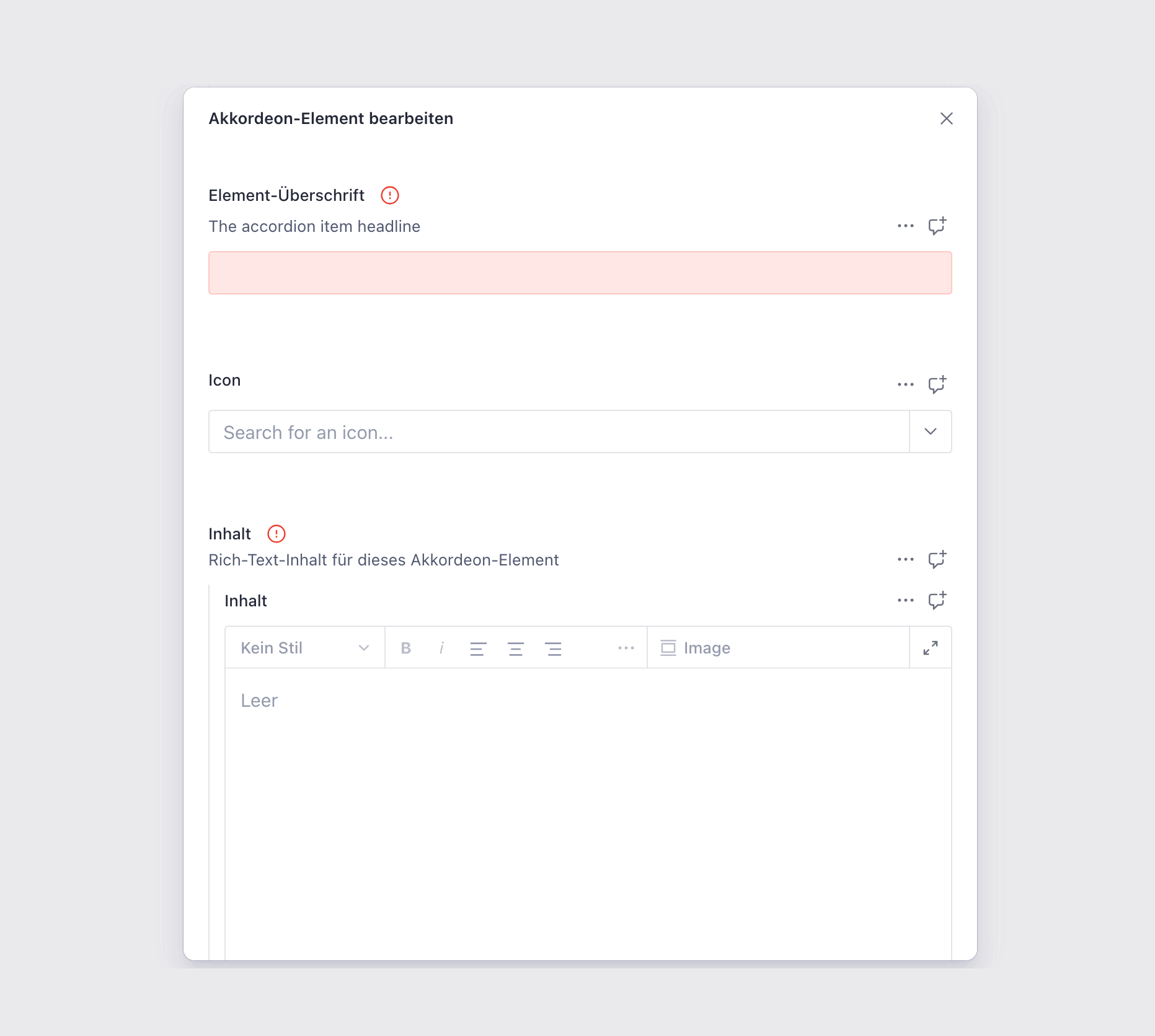
Each accordion item contains:
Item Headline
Section titled “Item Headline”- Type: String
- Required: Yes (required field)
- Purpose: The clickable title shown when collapsed
- Example:
What are our opening hours?
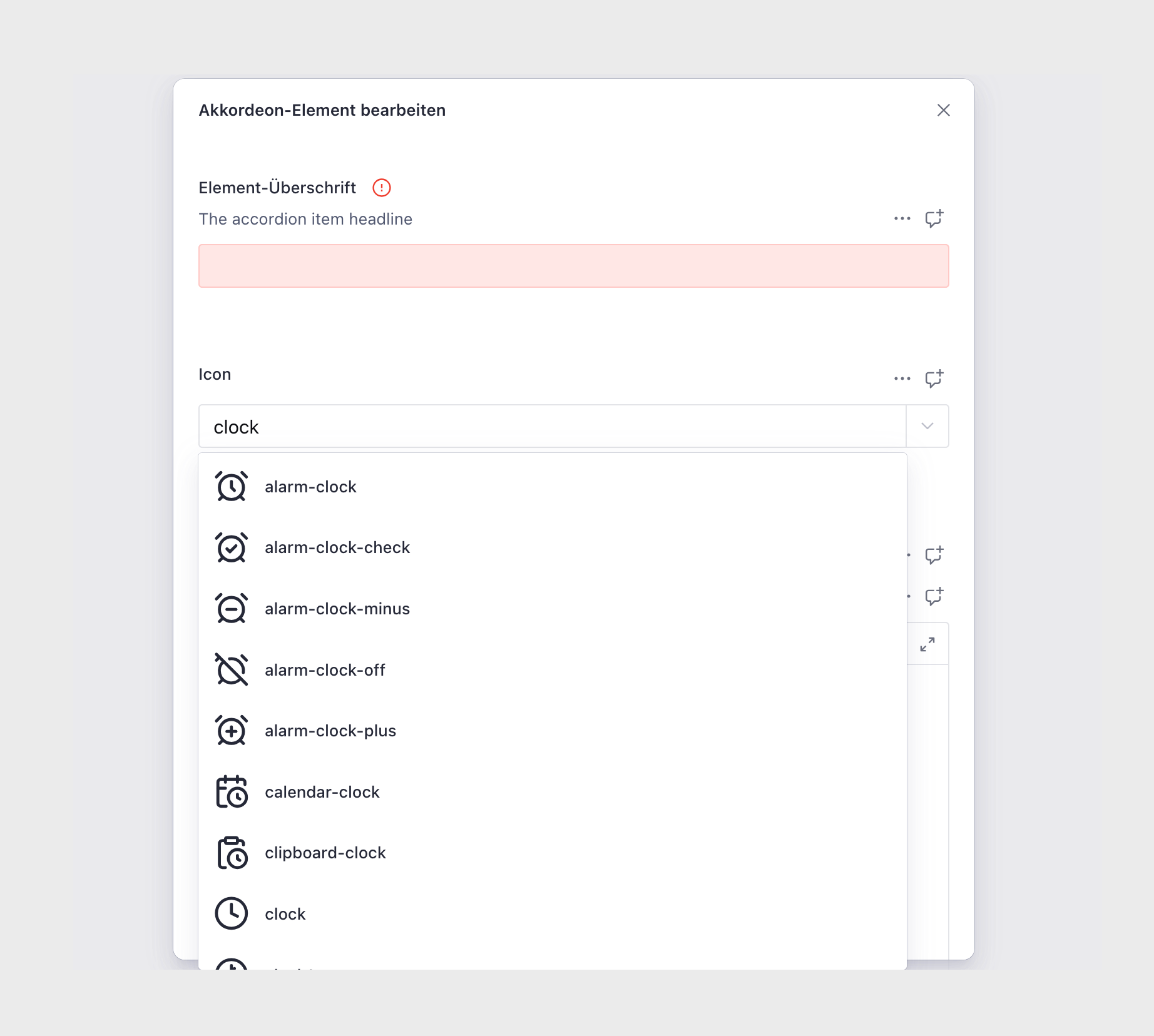
- Type: Lucide Icon
- Required: No
- Purpose: A Lucide icon displayed next to the headline
- Source: Lucide icon library
- Examples: Clock, Car, Calendar, Euro
Content
Section titled “Content”- Type: Rich Text Section (
richTextSection) - Required: Yes (required field)
- Purpose: Rich text content shown when expanded
- Note: Supports full formatting, images, links, etc.
Background Color
Section titled “Background Color”- Type: Reference (
backgroundColor) - Required: No
- Purpose: Sets the background color for the entire section
Usage Example
Section titled “Usage Example”Typical Configuration
Section titled “Typical Configuration”- Section Headline:
Frequently Asked Questions - Section Subheadline:
Everything you need to know about our services - Accordion Items:
- “How long does the process take?” (Clock icon)
- Content: Details about timeline and factors that affect duration
- “What options are available?” (Package icon)
- Content: List of available service tiers or product options
- “How much does it cost?” (DollarSign icon)
- Content: Pricing information by service level or package
- “Do you offer flexible scheduling?” (Calendar icon)
- Content: Information about appointment availability and booking option
- “How long does the process take?” (Clock icon)
Best Practices
Section titled “Best Practices”- Headlines: Make them clear and specific—users should know what’s inside before expanding
- Item count: 3-8 items work best. Too few isn’t worth an accordion; too many becomes overwhelming
- Content length: Keep each item focused. If content gets too long, consider breaking it into multiple items
- Icons: Use them consistently or not at all. They should add clarity, not decoration
- Grouping: Organize related items together logically
- Background color: Use sparingly—high contrast can reduce readability
Key Features
Section titled “Key Features”- Space-efficient: Long content stays collapsed until needed
- Scannable: Users see all topics at a glance via headlines
- Accessible: Supports screen readers and keyboard navigation
- Interactive: Users control what they see
- Rich content: Full formatting support within each item
Where It’s Used
Section titled “Where It’s Used”- Pages (
page)
General content pages - Legal Pages (
legalPage)
Privacy policies, terms of service, etc.
Technical Notes
Section titled “Technical Notes”- Each accordion item can be expanded/collapsed independently
- Content uses the
richTextSectiontype for full formatting capabilities - Icons come from the Lucide icon library
- Background color references the global
backgroundColorschema
When to Use vs. Rich Text Section
Section titled “When to Use vs. Rich Text Section”| Accordion Section | Rich Text Section |
|---|---|
| Information users might want to skip | Content everyone should read |
| Multiple distinct topics | One continuous narrative |
| FAQs and Q&A format | Articles and blog posts |
| Long reference information | Short to medium explanatory text |
| Interactive browsing experience | Linear reading experience |