News Section
This content is for v1.0. Switch to the latest version for up-to-date documentation.
Overview
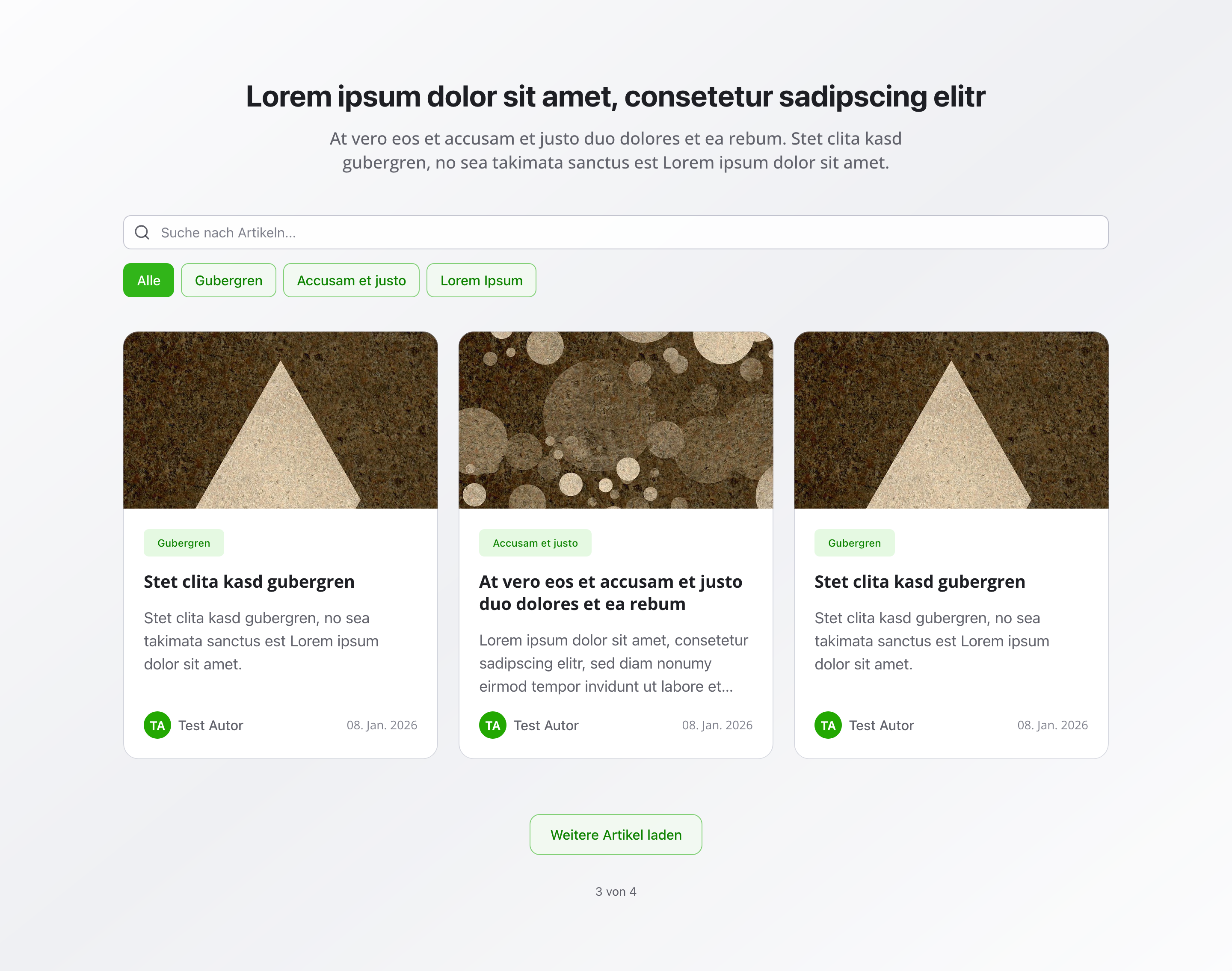
Section titled “Overview”The News Section automatically fetches and displays news articles with a load-more functionality. Articles are sorted by publication date, making it easy for visitors to stay up to date with your latest news and updates.
Fields
Section titled “Fields”Section Headline
Section titled “Section Headline”- Type: String
- Required: No
- Purpose: Main heading for the news section
- Example:
NewsorLatest Updates
Section Description
Section titled “Section Description”- Type: Text
- Required: No
- Purpose: Description for the news section
- Example:
Latest news and updates
Maximum Articles to Display
Section titled “Maximum Articles to Display”- Type: Number
- Required: No
- Purpose: Maximum number of articles to display initially
- Default Value:
6 - Min Value: 1
- Max Value: 50
Show Load More Button
Section titled “Show Load More Button”- Type: Boolean
- Required: No
- Purpose: Whether to show a “Load More” button for additional articles
- Default Value:
true
Background Color
Section titled “Background Color”- Type: Reference (
backgroundColor) - Required: No
- Purpose: Sets the background color for the entire section
Usage Example
Section titled “Usage Example”Typical Configuration
Section titled “Typical Configuration”- Section Headline:
News - Section Description:
Latest news and updates - Maximum Articles to Display:
6 - Show Load More Button:
true - Background Color: Reference to a
backgroundColorobject
Best Practices
Section titled “Best Practices”- Initial count: Display 6-12 articles initially for optimal performance and user experience
- Load more: Enable load more for better performance when you have many articles
- Regular updates: Publish new articles regularly to keep content fresh
- Headlines: Make article headlines clear and compelling
- Descriptions: Use section description to provide context about the types of articles users will find
- Consistency: Maintain consistent publishing schedule for better user engagement
Key Features
Section titled “Key Features”- Automatic fetching: Articles are automatically retrieved and displayed
- Load more: Additional articles can be loaded on demand
- Sorted by date: Articles are sorted by publication date (newest first)
- Performance optimized: Initial load shows limited articles, with more available on demand
- Responsive: Adapts to different screen sizes
Where It’s Used
Section titled “Where It’s Used”- Pages (
page)
General content pages, especially news or blog pages
Technical Notes
Section titled “Technical Notes”- Articles are automatically fetched from the article schema
- Only published articles are displayed
- Articles are sorted by publication date in descending order (newest first)
- Load more functionality loads additional articles without page refresh
- Background color references the global
backgroundColorschema - The section uses pagination-like behavior with load more instead of traditional pagination