Testimonials Section
This content is for v1.0. Switch to the latest version for up-to-date documentation.
Overview
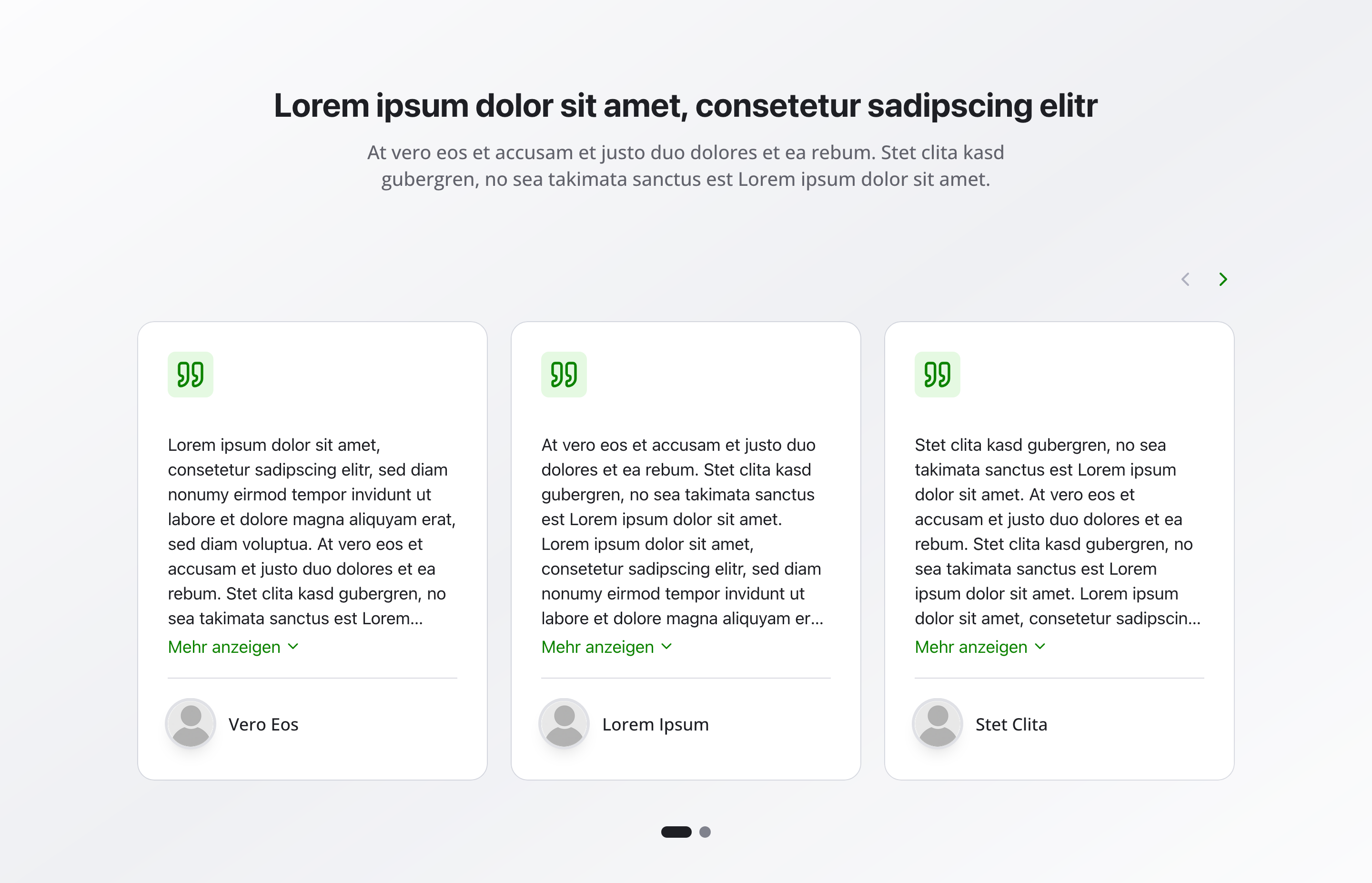
Section titled “Overview”The Testimonials Section displays customer reviews, references, and testimonials in an organized format. With quotes, author names, and optional avatars, it’s perfect for building trust and showcasing social proof.
Fields
Section titled “Fields”Headline
Section titled “Headline”- Type: String
- Required: Yes
- Purpose: Main heading for the testimonials section
- Examples:
Customer Reviews,Testimonials
Description
Section titled “Description”- Type: Text
- Required: No
- Purpose: Description text for the testimonials section
- Example:
Read what our satisfied customers have to say about their experience.
Testimonials
Section titled “Testimonials”- Type: Array of testimonial objects
- Required: No
- Purpose: List of testimonials to display
Testimonial Object Fields
Section titled “Testimonial Object Fields”Quote
- Type: Text
- Required: No
- Purpose: Quote or review text
- Example:
The best service provider in the region! Very professional and helpful.
Author
- Type: String
- Required: No
- Purpose: Name of the review author
- Example:
Max Mustermann
Show Avatar
- Type: Boolean
- Required: No
- Purpose: Toggle to show or hide the avatar for this testimonial
- Default:
true
Avatar
- Type: Image
- Required: No
- Purpose: Profile picture of the author
- Note: Hidden when Show Avatar is not enabled
Background Color
Section titled “Background Color”- Type: Reference (
backgroundColor) - Required: No
- Purpose: Sets the background color for the entire testimonials section
Usage Example
Section titled “Usage Example”Typical Configuration
Section titled “Typical Configuration”- Headline:
Customer Reviews - Description:
Read what our satisfied customers have to say about their experience. - Testimonials:
- “The best service provider in the region! Very professional and helpful.”
- Author:
Max Mustermann - Show Avatar:
true - Avatar: Profile picture
- Author:
- “Quick and successful service delivery. Can only recommend!”
- Author:
Anna Schmidt - Show Avatar:
true - Avatar: Profile picture
- Author:
- “The best service provider in the region! Very professional and helpful.”
Best Practices
Section titled “Best Practices”- Authenticity: Use real, authentic reviews—genuine testimonials build more trust.
- Diversity: Show different perspectives and experiences.
- Avatars: Profile pictures increase credibility.
- Count: 3-6 testimonials are optimal for impact.
- Regular updates: Update regularly with new reviews to keep content fresh.
- Balance: Mix positive reviews with constructive feedback when appropriate.
Key Features
Section titled “Key Features”- Organized display: Testimonials displayed in clean, organized cards
- Avatar support: Optional profile pictures for each testimonial
- Flexible content: Quote and author name for comprehensive information
- Trust building: Social proof helps build credibility
- Responsive: Adapts to different screen sizes
Where It’s Used
Section titled “Where It’s Used”- Pages (
page)
General content pages, especially homepages and service pages
Technical Notes
Section titled “Technical Notes”- Testimonials are displayed in a responsive grid or carousel layout
- Avatars are displayed as round images when enabled
- Background color references the global
backgroundColorschema - The section uses semantic HTML for accessibility
- Testimonials are typically displayed with quote styling
- Each testimonial has a
_keyfield (internal Sanity identifier)