Statistics Section
This content is for v1.0. Switch to the latest version for up-to-date documentation.
Overview
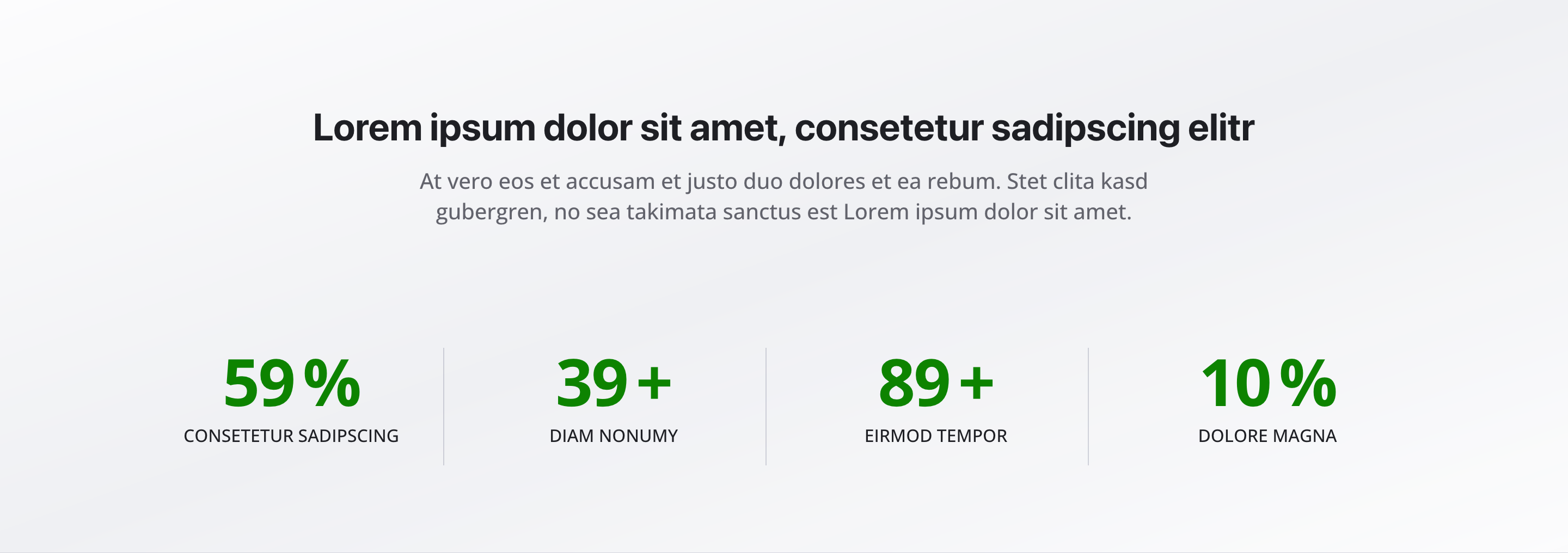
Section titled “Overview”The Statistics Section displays statistics, key figures, or success numbers in a clear, organized format. Perfect for building trust, showcasing achievements, or highlighting important metrics that demonstrate your value.
Fields
Section titled “Fields”Headline
Section titled “Headline”- Type: String
- Required: No
- Purpose: Main heading for the statistics section
- Example:
Our Success NumbersorBy the Numbers
Description
Section titled “Description”- Type: Text
- Required: No
- Purpose: Brief description of the section
- Example:
Numbers that speak for themselves
Statistics
Section titled “Statistics”- Type: Array of statistic item objects
- Required: No
- Purpose: List of statistics
Each statistic item includes:
- Type: String
- Required: No
- Purpose: Label for the statistic
- Example:
Satisfied Customers
Number
Section titled “Number”- Type: Number
- Required: No
- Purpose: Number of the statistic
- Example:
1000
Suffix
Section titled “Suffix”- Type: String
- Required: No
- Purpose: Suffix after the number
- Example:
+,%, orCustomers
Background Color
Section titled “Background Color”- Type: Reference (
backgroundColor) - Required: No
- Purpose: Sets the background color for the entire section
Usage Example
Section titled “Usage Example”Typical Configuration
Section titled “Typical Configuration”- Headline:
Our Success Numbers - Description:
Numbers that speak for themselves - Statistics:
- “Satisfied Customers”
- Number:
5000 - Suffix:
+
- Number:
- “Success Rate”
- Number:
95 - Suffix:
%
- Number:
- “Years of Experience”
- Number:
15 - Suffix: (empty)
- Number:
- “Projects Completed”
- Number:
200 - Suffix:
+
- Number:
- “Satisfied Customers”
Best Practices
Section titled “Best Practices”- Relevance: Only use relevant, meaningful statistics that add value
- Accuracy: Keep statistics current and accurate
- Clarity: Use clear, understandable labels
- Suffixes: Use appropriate suffixes for better readability
- Count: 3-6 statistics are optimal for impact
- Visual hierarchy: Use consistent formatting for all statistics
Key Features
Section titled “Key Features”- Organized display: Statistics displayed in a clean, grid-based layout
- Flexible formatting: Support for numbers with custom suffixes
- Visual impact: Large numbers create visual impact
- Trust building: Statistics help build credibility and trust
- Responsive: Adapts to different screen sizes
Where It’s Used
Section titled “Where It’s Used”- Pages (
page)
General content pages, especially homepages and about-us pages
Technical Notes
Section titled “Technical Notes”- Statistics are displayed in a responsive grid layout
- Numbers can be formatted with custom suffixes
- Background color references the global
backgroundColorschema - The section uses semantic HTML for accessibility
- Statistics are typically displayed with large, prominent numbers