What are the main parts of a website page?
This content is for v1.0. Switch to the latest version for up-to-date documentation.
A website page is made up of several key parts that work together to display content clearly and consistently.
In Sanity Studio, these parts are structured so you can manage and update them easily.
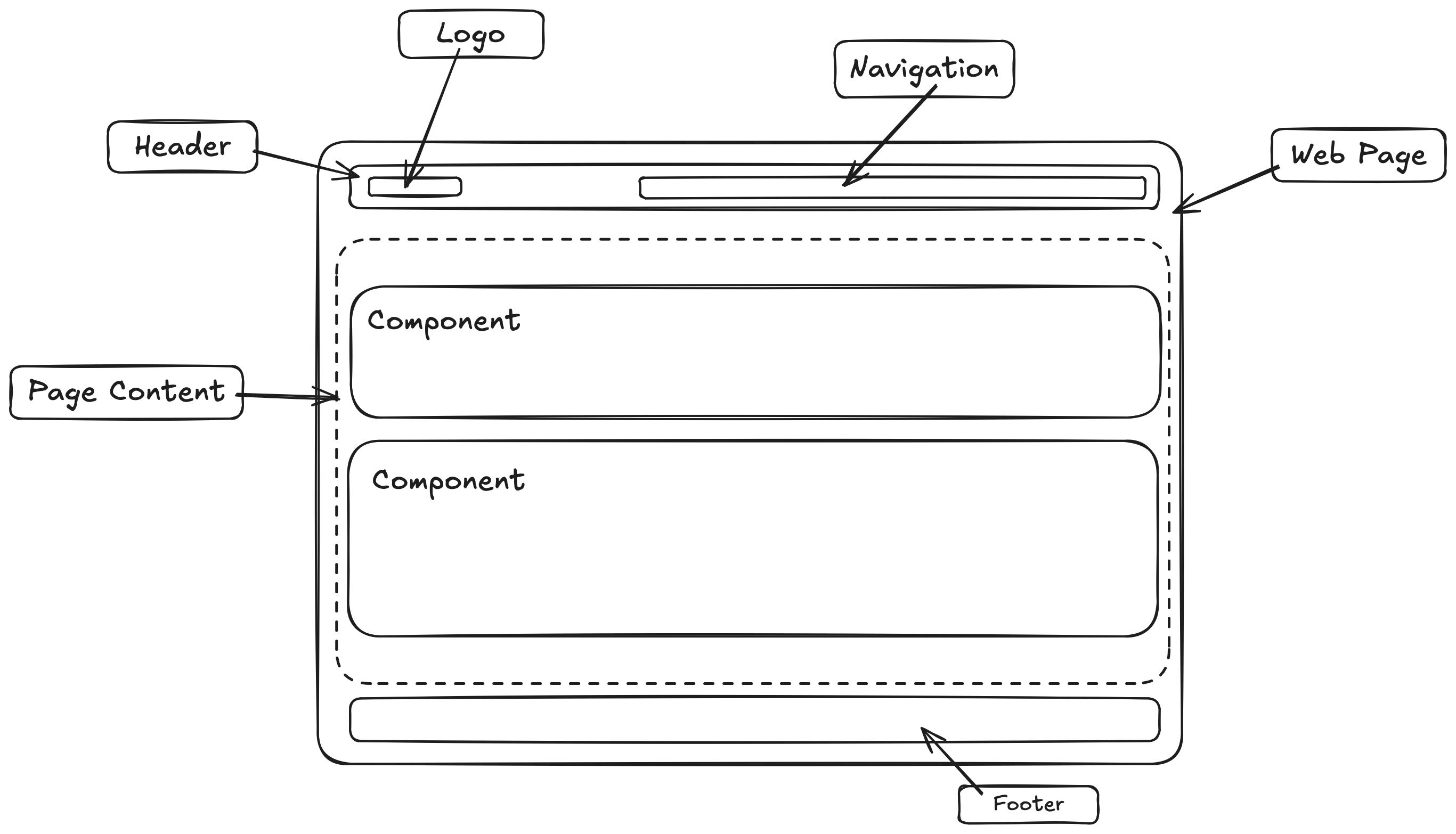
-
Header
Section titled “Header”The header appears at the top of the page and is usually the same across the entire website.
It typically contains:
- The logo
- The main navigation menu
- Optional buttons such as Contact or Book now
-
Page sections (main content)
Section titled “Page sections (main content)”The main content of a page is built from sections. Sections are the building blocks of a page and can be added, edited, removed, or reordered in Sanity Studio.
Common section types include:
- Hero section (headline, text, image, call-to-action)
- Text or text-with-image sections
- Services or feature sections
- Testimonials or reviews
- Image galleries or videos
- Contact or call-to-action sections
Pages like Home, About, or Contact are usually created by combining multiple sections.
-
Footer
Section titled “Footer”The footer appears at the bottom of every page and is usually shared across the entire website.
It often includes:
- Contact details
- Legal links (Privacy Policy, Imprint)
- Social media links
- Copyright information
-
SEO & page settings
Section titled “SEO & page settings”Each page includes settings that are important for search engines but not visible to visitors.
These usually include:
- Page title
- Meta description
- Social sharing image